
Android beta
Pixora Locator
Know they’re okay.
Know they’re okay.
Keep location private.
Share a precise or approximate location with the people you choose, bring separate Pixora accounts together in a temporary group, send a private Place without exposing where you are, and reach trusted contacts when you need help. Pixora Locator is built for reassurance, not surveillance.
This is a closed Android beta. Join the PixoraHQ Google Group using the same Google account you use for Google Play, then follow the beta signup instructions in the group.
Android betaLocator phone app requirediPhone to followYearly subscription planned
Share with purpose
Useful location without a permanent trail.
Locator answers the questions families actually ask: where someone is now, whether they are at a familiar Place, and how long they have been there.
Locator + Planner + Home Control
Turn a shared arrival into a useful next step.
Use Locator data directly in Planner and Flows without creating a device in Home Assistant, Hubitat, HomeSeer, or Homey. Location sharing stays under each person’s control.
The Locator app is required for this option. Join the PixoraHQ Google Group using your Google Play account, follow the closed-testing Android installation instructions, and sign in with your Pixora account. Place-based automation needs current precise sharing; approximate, off, and old locations do not confirm arrivals.
Temporary groups
Together for the trip—not forever.
Create one shared map for a road trip, concert, day out, or other short-lived plan. A group can bring two, three, ten, or more independent Pixora Location accounts together without adding anyone to a household or creating a permanent connection.
Only the current shared point.While a group is active, joined members can see the latest location each person has chosen to share. Group access does not expose saved Places or create location history, and it disappears when the group ends.
Fast on a phone
Get to the person or tool you need quickly.
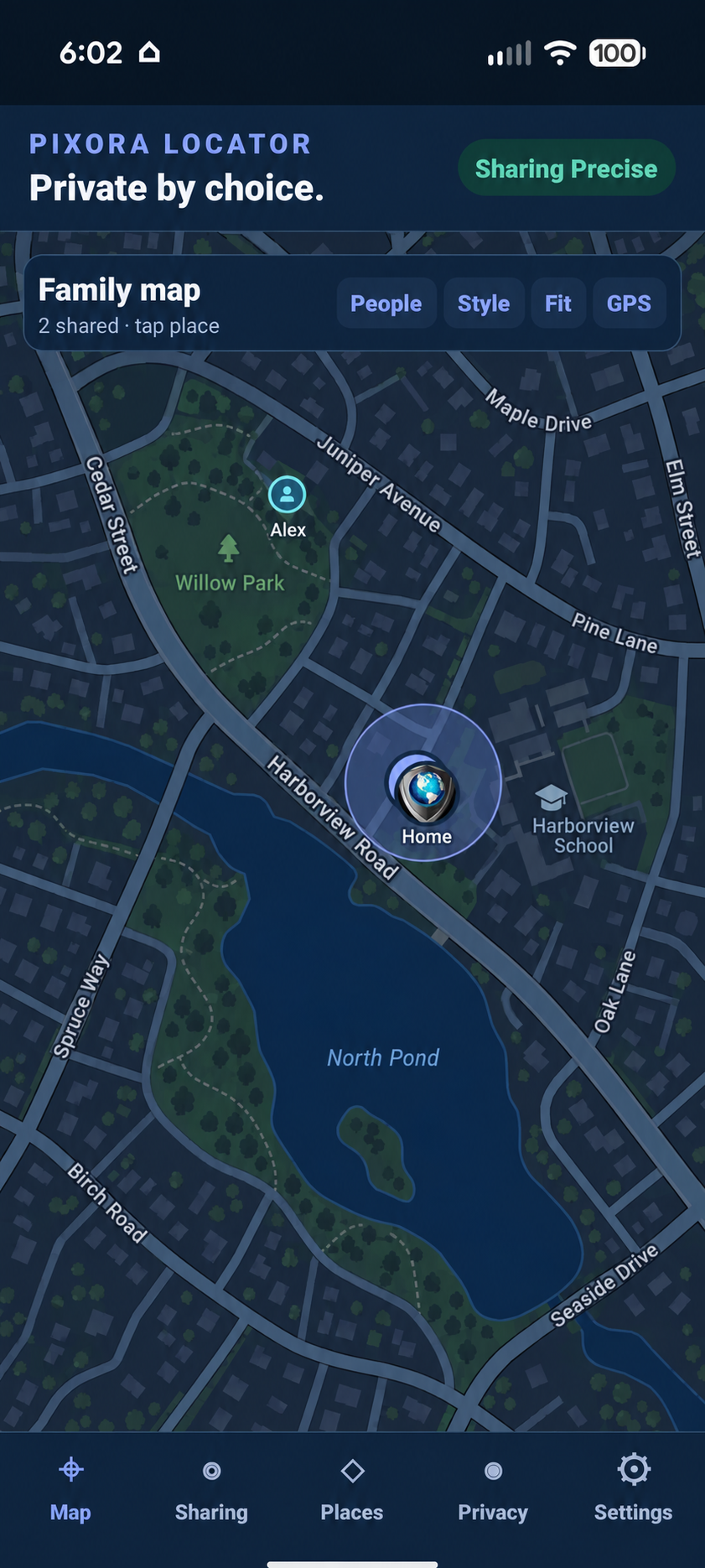
The family map keeps shared people within reach without turning the screen into a list of controls.
Private Place sharing
Share the destination—not your location.
Send one saved Place to selected Locator friends without sharing your presence, current position, other saved Places, or location history. Add an optional note and choose whether the card lasts for an hour, a day, a week, or until you revoke it.
- Recipients get the Place name, map point, boundary, and your note.
- Open the destination in Google Maps or Apple Maps.
- Save a copy—or update an existing copy—inside Locator.
- Review active shares and revoke access whenever you choose.
SHARED WITH ME
Harborview Entrance
Shared by Jordan
Meet at this entrance. Pickup is beside the blue awning.
150 meter area · available for one dayGoogle MapsApple Maps
Safety
A faster way to reach people you trust.
Safety tools use real Locator phones as the contact list, so they work without setting up Planner. Select the people you trust, then press and hold to prevent an accidental alert.
Pixora alerts the trusted contacts you choose. It does not contact local emergency services.
Alerts stay actionable.Recipients can acknowledge that they are responding and open the fresh alert location in Google Maps or Apple Maps. Ending the alert restores the sharing choice that was active before it began. SOS and I’m Not Safe messages can be personalized in Settings.
Private by choice
Your map is not your history.
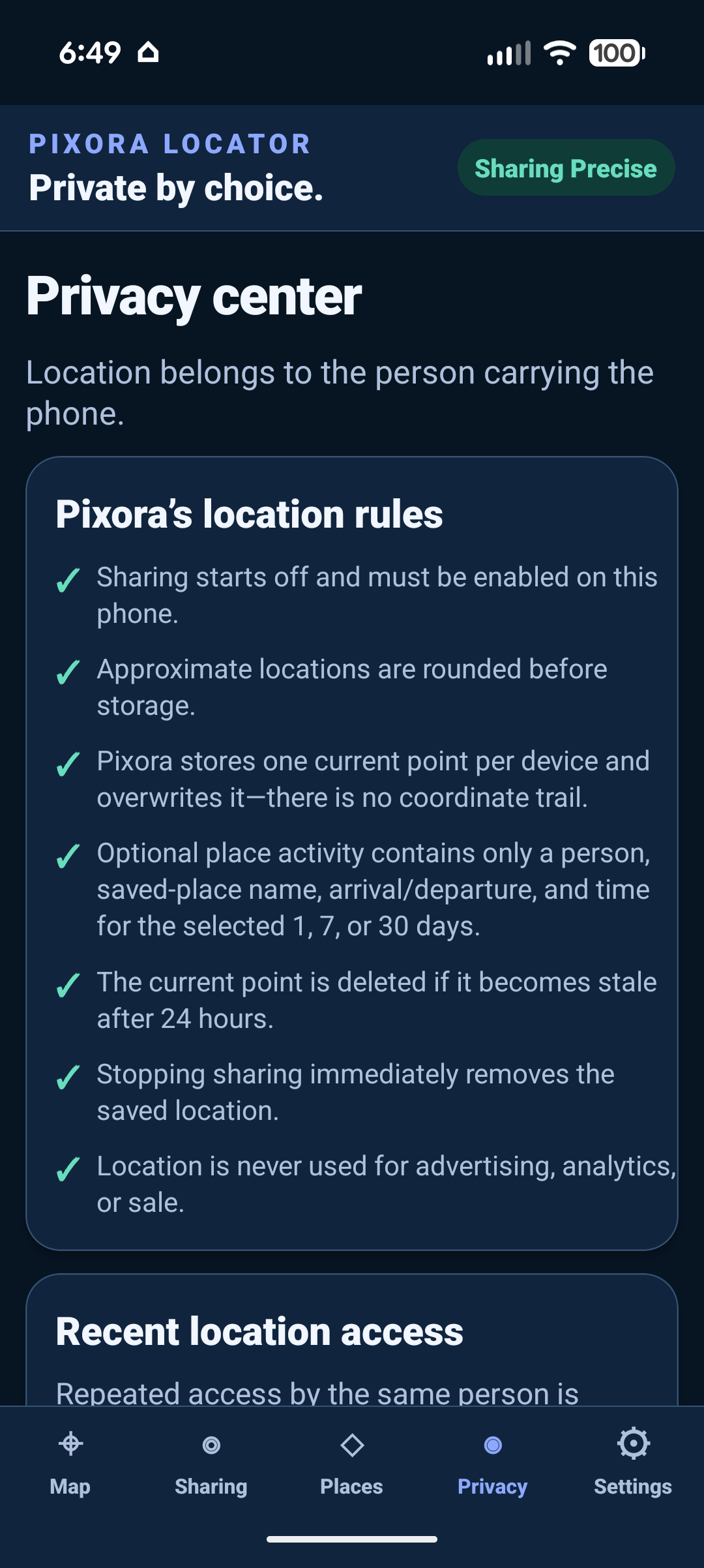
Friends receive your latest shared position and current confirmed Place—not your saved-Place list or a trail of everywhere you have been. When you are moving, Locator can say so and smoothly move the current marker between fresh reports, but it never creates a breadcrumb trail. When you remain somewhere new, it can describe the nearby area and let you save that position as a Place.
Connected apps
Bring the latest location into your smart home—or bring your Places with you.
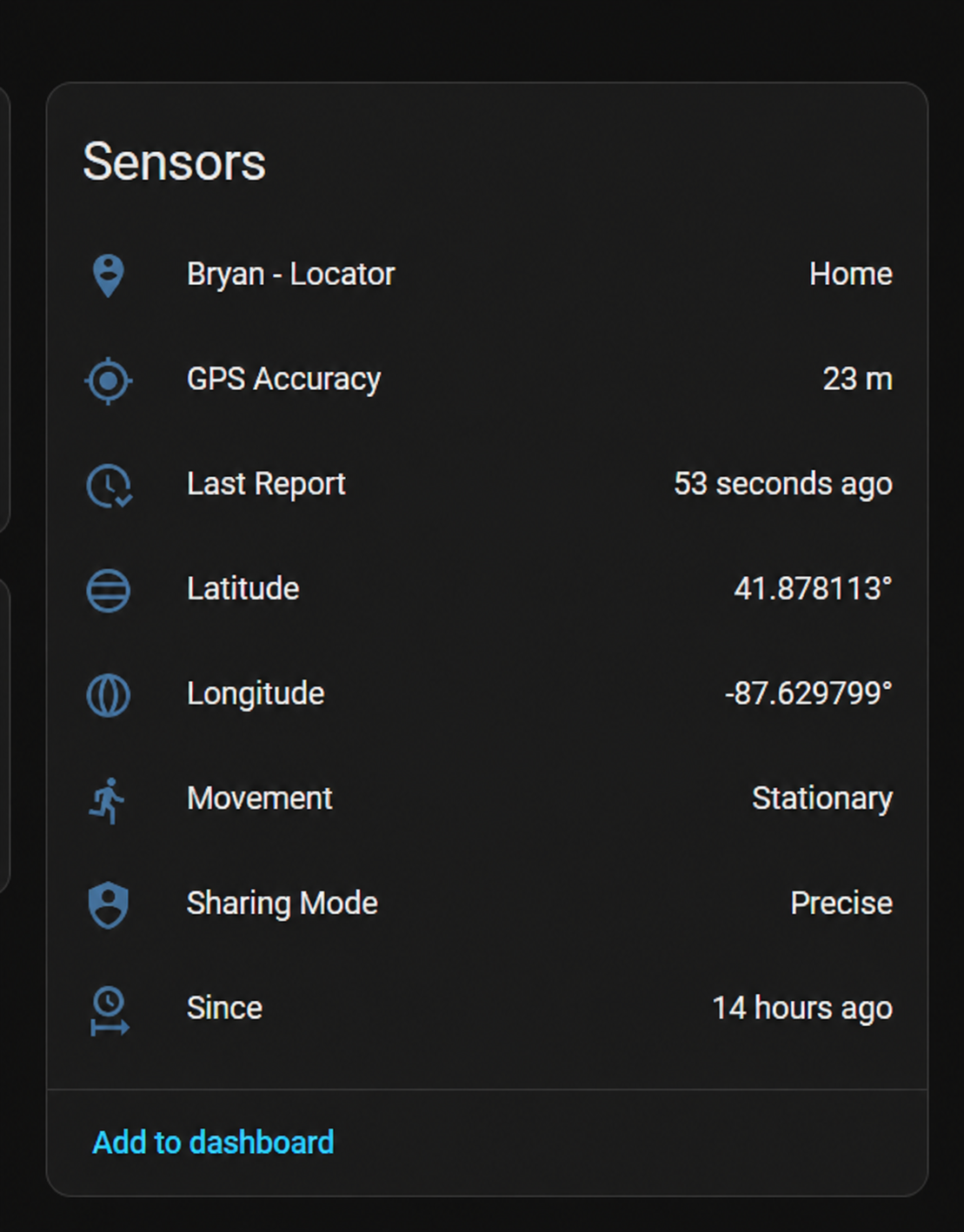
Home Assistant can show each shared phone as one device with separate Place, GPS accuracy, report time, coordinates, movement, sharing mode, and since-time sensors. Hubitat can receive the same current details through a separate virtual device for each phone. HomeSeer HS4 can create household phone devices with the same live coordinates, Place, movement, accuracy, battery, sharing, and timing details. Optional integrations receive only the latest shared location and current confirmed Place—not location history or the household’s saved-Place list.
Moving from the official Home Assistant Companion App? The Pixora Locator Home Assistant App can create a one-time file from up to 50 selected Home Assistant zones. Import it in Locator to create fresh Places, then delete the file. No tracker records, location history, arrival history, departure history, passwords, tokens, automations, or unrelated entities are copied, and nothing stays synchronized afterward.
Already managing regions with OwnTracks on Hubitat? Install Pixora’s separate importer and use OwnTracks’ existing Secondary Hub transfer to make the same kind of one-time file. OwnTracks is not modified. The importer accepts only the region list while manually armed, rejects live locations, and deletes its temporary copy automatically.
One-time means one-time.Home Assistant and Hubitat OwnTracks imports create independent Locator Places with no imported activity and no continuing connection. The Home Assistant option can run beside the official Companion App during export. A household can keep up to 75 Places, with up to 50 Places in one import.
Android beta
Join the Android Beta groupJoin the closed Android beta.
Join the PixoraHQ Google Group with your Google Play account, then follow the beta signup instructions in the group. The Locator phone app is required. A yearly subscription is planned for Locator only; Planner, Home Control, Student, Connect, Live, Budget, and Care remain free.
Planner and Flows
Manage your Locator automations together.
Planner reminders connect directly to Flows. Saving an arrival reminder, Calendar departure reminder, chore arrival timing, or Care check-in creates a linked Flow with one Enabled switch and run history. Use Planner / Locator nodes for arrivals, departures, movement, check-ins, event departure times, assigned chores, and Care deadlines; add conditions, notify Locator phones, set or clear travel status, or create a Care follow-up. The Locator app is required for these options. Join the PixoraHQ Google Group for Android closed-testing installation instructions, using the same Google account as Google Play.